Picture this: you have twenty free minutes between tasks, or a quiet evening with nothing planned, and you want to play something fun. But then reality hits.
The game you want is 40 GB. Your phone storage is full. Your laptop can barely handle a web browser with too many tabs open. Suddenly, the mood is gone before you’ve even started.
That’s the problem CrazyGames solves. Open your browser, search for CrazyGames, pick a game, and start playing within seconds.
There’s nothing to download, nothing to install, and no long sign-up process standing between you and the fun.
In this guide, we’ll walk through what CrazyGames is, the types of games you’ll find there, how to get started step by step, how to play on your phone, and how to get the smoothest experience possible.
We’ll also cover safety tips for players and parents, and answer the questions people ask most often. If you’ve never tried CrazyGames before, this guide will take you from complete beginner to confident player.
What Is CrazyGames?
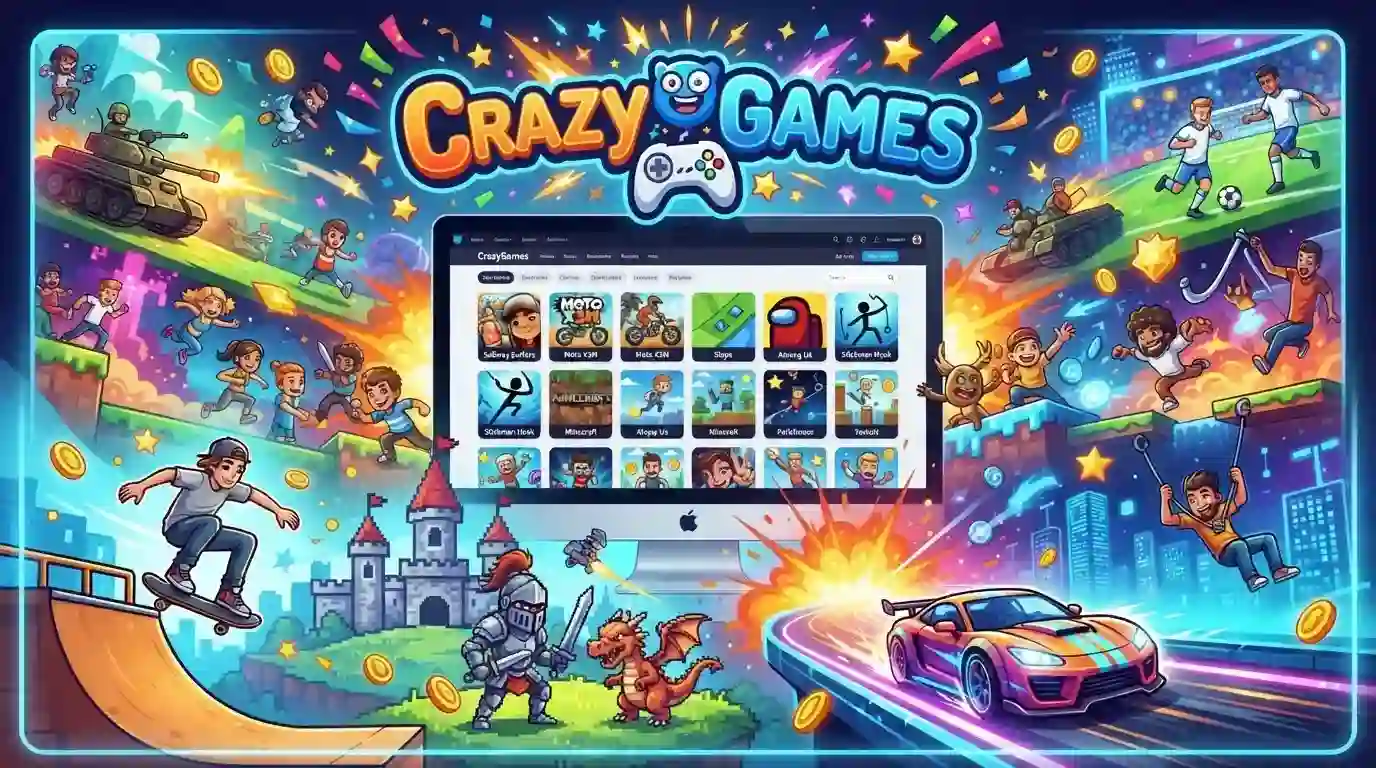
CrazyGames is a free online gaming platform where you can play games directly in your web browser. There’s no app to install and no launcher to update. If you can open a website, you can play.
The platform works with all the major browsers, including Chrome, Edge, Firefox, and Safari. You visit the CrazyGames website, choose a game, and it loads right on the page.
The site is built around browser-based technology, especially HTML5. That’s why games load quickly and usually run smoothly, even on older laptops, budget phones, and school or office computers where you can’t install software anyway.
The biggest strength of CrazyGames is variety. Instead of hunting across dozens of different websites, you get a huge library in one place: fast action games, relaxing puzzles, racing games, sports games, and multiplayer games you can enjoy with friends. New games are added regularly, so there’s usually something fresh to try.
CrazyGames at a Glance (Table 1)
| Feature | Details |
| Platform | CrazyGames (search for it in your browser) |
| Cost | Free to play (ads may appear) |
| Download required? | No |
| Installation required? | No |
| Account required? | No (optional) |
| Works in | Chrome, Edge, Firefox, Safari |
| Devices | Desktop, laptop, tablet, and many phones |
| Game types | Action, racing, puzzle, sports, strategy, multiplayer, and more |
| Internet needed? | Yes |
Why People Love CrazyGames
1. Free to Play
Most games on the platform are free to play. You don’t need a subscription or a credit card to get started. Just open CrazyGames, choose a game, and play. That makes it a great option for students, casual players, and anyone who doesn’t want to spend money on games they’re not sure they’ll enjoy.
2. No Download, No Installation
This is the feature that makes CrazyGames so convenient. You don’t wait for a download to finish, and you don’t lose storage space on your device. You also don’t have to deal with patches, updates, or compatibility errors. You click, the game loads, and you play.
3. A Huge and Growing Library
With such a wide selection, boredom is rarely a problem. If you get tired of one genre, you can switch to another in a few clicks. If you love a particular style of game, you can go deep and try dozens of similar titles.
4. Clean, Simple Design
The website is designed so that new visitors can find what they want without confusion. Games are organized into categories and tags, and there’s a search bar for when you already know what you’re looking for. You don’t need any technical knowledge to navigate the site.
5. Works on Many Devices
Many games run on desktop computers, laptops, tablets, and phones. Some are built mainly for keyboard and mouse, while others are designed for touch screens, so it’s worth checking each game’s page to see what it supports.
6. Quick Sessions or Long Playtime
Some games are perfect for a five-minute break. Others are deep enough to keep you playing for hours. You decide how long to play, and you can leave whenever you want.
Types of Games You Can Play on CrazyGames
One of the best things about CrazyGames is that it caters to almost every taste. Here are the main categories you’ll come across.
Action Games
If you enjoy fast movement and quick reflexes, action games are the place to start. This category includes fighting games, shooters, and survival challenges. These games test your reaction time and decision-making, and they’re great for quick bursts of excitement.
Racing Games
Racing fans will find plenty to enjoy. Some games focus on speed and drifting, while others feature stunt tracks, off-road courses, or bike racing. Many are easy to learn but hard to master, which keeps you coming back to beat your best time.
Puzzle and Brain Games
Puzzle games are perfect when you want to relax while still keeping your mind active. They can involve matching, logic, memory, word challenges, or problem solving. They’re popular with players of all ages, and many people use them as a short mental warm-up during the day.
Multiplayer and .io Games
.io games are hugely popular because they’re simple to jump into. You open the game, pick a name, and you’re instantly competing against other players online. There’s no complicated setup, and rounds tend to be short, which makes them ideal for a quick competitive fix. Other multiplayer games let you team up with or compete against friends.
Sports Games
From football (soccer) and basketball to other popular sports, you’ll find games that let you enjoy the thrill of competition in a virtual setting. Many are designed with simple controls, so you can play well without a long learning curve.
Adventure and Role-Playing Games
If you like stories, exploration, and completing missions, adventure games offer plenty to discover. You can explore different worlds, solve problems, and progress at your own pace.
Strategy Games
Strategy games reward planning and smart decisions. You may manage resources, defend a base, build a city, or outmaneuver an opponent. They’re a good choice if you enjoy thinking ahead more than reacting quickly.
Casual and Kids’ Games
There are also lighter, colorful games such as dress-up, coloring, simple puzzles, and cooking games. Parents should still review what their children are playing, but there’s a lot of easygoing content for younger players.
Which Game Type Is Right for You? (Table 2)
Not sure where to start? Use this quick chooser.
| If you want… | Try this category | Best for | Session length |
| A rush of adrenaline | Action | Fast reflexes | 5–30 minutes |
| To beat your best time | Racing | Speed lovers | 5–20 minutes |
| To relax and think | Puzzle | All ages | 5–15 minutes |
| To compete online | Multiplayer / .io | Social players | 5–20 minutes |
| To feel like a team player | Sports | Sports fans | 10–30 minutes |
| A story and exploration | Adventure / RPG | Patient players | 30+ minutes |
| To plan and outsmart | Strategy | Big thinkers | 20+ minutes |
| Something light and easy | Casual / Kids | Beginners, kids | 5–10 minutes |
Session lengths are general estimates and vary from game to game.
How to Play on CrazyGames: A Step-by-Step Guide
New to the site? Follow these simple steps.
Step 1: Open the website. Open your browser, search for CrazyGames, and click the official website in the results.
Step 2: Browse or search. On the homepage, you’ll see featured and popular games. You can browse categories such as racing, puzzle, or action, or type a game’s name into the search bar.
Step 3: Click a game. Each game has its own page with a short description, a preview, and often instructions on how to play.
Step 4: Press Play. The game will load in your browser. Sometimes a short loading screen or advertisement appears first, which is normal for free platforms.
Step 5: Learn the controls. Most games explain their controls on the start screen. On touch devices, you’ll use taps and swipes.
Step 6: Go full screen. Look for a full-screen button on the game page. It removes distractions and makes the game feel more immersive.
Step 7: Create an account (optional). You can start playing without signing up. However, if you’d like to save favorites or keep track of your activity, creating a free account can make the experience more convenient.
Common Game Controls Cheat Sheet (Table 3)
Controls differ from game to game, but these are the ones you’ll see most often.
| Control | What it usually does |
| Arrow keys or WASD | Move your character or vehicle |
| Spacebar | Jump, shoot, or use an action |
| Mouse movement | Aim or look around |
| Left click | Shoot, select, or interact |
| Shift | Sprint or boost |
| P or Esc | Pause the game |
| Touch and swipe (mobile) | Move, steer, or interact |
Tip: Always check the instructions on the game’s own page, because some games use unique controls.
How to Play CrazyGames on Your Phone
Mobile gaming is more popular than ever, and many people want to play without filling up their phone’s storage. You can open CrazyGames in your mobile browser and play supported games right there. A few tips will improve the experience:
- Use landscape mode. Many games look and play better when your phone is turned sideways.
- Connect to a stable network. Wi-Fi or a strong mobile connection helps games load faster and prevents lag.
- Close other apps and tabs. This frees up memory so your browser can focus on the game.
- Check the game page. Not every game supports touch controls, so look for mobile compatibility information before you start.
- Keep your battery in mind. Games can drain a battery quickly, so consider charging your phone if you plan a long session.
The Benefits of Browser Games
Saves Time and Storage
Traditional games can take hours to download and consume a large amount of space. Browser games avoid both problems, so you can play right away and keep your storage free for photos, apps, and files.
Runs on Modest Hardware
You don’t need an expensive gaming PC. Because browser games are generally lightweight, they run well on everyday laptops and mid-range phones.
Play Anywhere
If you have a browser and an internet connection, you can play at home, on a break at work, at a friend’s house, or on a different computer entirely.
Great for Short Breaks
A quick game can be a refreshing pause in a busy day. Many people find that a few minutes of play helps them reset before returning to work or study.
Can Sharpen Your Mind
Puzzle, memory, and strategy games can encourage logical thinking, concentration, and problem solving. They’re not a replacement for real learning, but they can be a fun way to keep your brain active.
Easy to Share with Friends
Since there’s nothing to install, you can send a friend the game link and have them playing in seconds. That’s perfect for friendly competition.
Tips for a Smoother Gaming Experience
A little preparation can make a big difference in how well games run.
- Keep your browser updated. Newer versions handle modern web technology better.
- Clear cache and cookies. Stored browser data can pile up and cause slowdowns.
- Close unnecessary tabs. Every open tab uses memory your game could use.
- Check hardware acceleration. Make sure it’s enabled in your browser settings, since it often improves performance.
- Adjust your ad blocker. Some blockers interfere with how games load. Try pausing yours for the site.
- Use a reliable connection. Multiplayer games in particular depend on a stable connection.
- Practice the controls. Spend the first few minutes learning how the game responds.
- Take breaks. Stand up, stretch, and rest your eyes every so often.
Fixing Common Problems
Something not working? Try these quick fixes.
- Game won’t load: Refresh the page, then try another browser.
- Game is laggy: Close other tabs and check your internet speed.
- No sound: Check your device volume and the game’s sound settings.
- Black or blank screen: Pause your ad blocker and reload the page.
- Controls not responding: Click inside the game window once to give it focus.
A Guide for Parents
Browser games can be a harmless and enjoyable hobby for kids, but a little guidance goes a long way.
- Set time limits. Agree on how long your child can play each day, and encourage regular breaks from the screen.
- Choose age-appropriate games. Look at a game’s description and content before letting younger children play.
- Talk about online interactions. In multiplayer games, remind children not to share personal information such as their full name, address, school, or phone number.
- Balance play with other activities. Make sure gaming doesn’t replace homework, sleep, outdoor time, or family time.
- Play together sometimes. It’s a great way to bond and to see exactly what your child is enjoying.
Online Safety Tips for All Players
- Always use the official website. Search for CrazyGames, check the address carefully before you click, and bookmark the real site once you’ve found it. Avoid clicking suspicious links from unknown sources.
- Be careful with permissions. A game shouldn’t need access to things it has no reason to use. If a site asks for unusual permissions, say no.
- Use a strong, unique password. If you create an account, choose a password you don’t use anywhere else.
- Protect your personal information. Never share sensitive details like your address, phone number, or banking information in a game or chat.
- Be wary of unexpected downloads. Browser games shouldn’t require you to install extra software. If something asks you to download a file, stop and think twice.
- Keep your device secure. Use up-to-date security software and keep your operating system updated.
Frequently Asked Questions
Crazy games 1
Crazy games 1 can refer to the first search result, game, or version someone is looking for on CrazyGames.
Crazygames 2
Crazygames 2 may refer to a specific second game, result, or search variation related to the CrazyGames platform.
CrazyGames download
CrazyGames is mainly a browser-based gaming platform, so many games can be played online without downloading them.
CrazyGames com Roblox
CrazyGames com Roblox searches may refer to Roblox-related games or experiences that users are looking for on the platform.
CrazyGames Minecraft
CrazyGames Minecraft searches usually refer to Minecraft-style or block-building games available through CrazyGames.
CrazyGames free
CrazyGames offers many browser games that users can play for free without buying the individual game.
Crazygames 2 player
Crazygames 2 player refers to games designed for two people to play together, either on one device or online.
Bloxd io play on crazygames com
Bloxd io play on crazygames com refers to playing Bloxd.io through the CrazyGames website in a web browser.
Conclusion
CrazyGames makes gaming simple. There are no long downloads, no storage worries, and no complicated setup. You open a browser, search for CrazyGames, and within moments you’re in the middle of a game that fits your mood, whether that’s a fast race, a challenging puzzle, a competitive .io match, or a relaxing casual game.
The wide variety means everyone can find something they enjoy, from kids and students to busy adults looking for a quick break. And by following the tips in this guide, like keeping your browser updated, adjusting your ad blocker, and practicing good online safety, you can make every session smoother and safer.
So the next time you have a few spare minutes, skip the big downloads and try something different. Head over to CrazyGames and see what you discover. Your next favorite game could be just one click away.